Lightworks
The professional’s choice for precision non-linear video editing and cinematic storytelling.
Updated 10d ago
Has API
PricingFreemium
Free to $389.99/yr
Non-linear video editing
Color correction and grading
Audio post-production
Advanced color-theory driven photo and video editing for professional brand consistency.

A Color Story represents a specialized tier of visual processing tools that bridges the gap between consumer-grade filter apps and professional desktop color grading suites. In the 2026 market, it stands out by prioritizing high-fidelity color accuracy and non-destructive editing workflows. Its architecture is built on a proprietary engine that handles over 500 filters and 20+ advanced adjustment tools, including HSL and Curves, which are typically reserved for high-end software like Adobe Lightroom. The platform's strategic advantage lies in its 'ACS+ Membership,' which provides a unified content creation pipeline across mobile and desktop environments. By integrating AI-enhanced grid planning and sophisticated batch processing, A Color Story enables creators and brands to maintain aesthetic continuity across multi-channel distributions. Technically, the app leverages GPU acceleration for real-time video rendering and supports high-resolution outputs, including ProRAW and HEIC formats, ensuring that the metadata and dynamic range of mobile photography are preserved throughout the creative process.
A Color Story represents a specialized tier of visual processing tools that bridges the gap between consumer-grade filter apps and professional desktop color grading suites.
Explore all tools that specialize in color grading. This domain focus ensures A Color Story delivers optimized results for this specific requirement.
Allows for the simultaneous application of filter stacks and adjustments across up to 20 images using a synchronized rendering pipeline.
Precise control over Hue, Saturation, and Luminance for 8 specific color channels without degrading the base image pixels.
A visual drag-and-drop environment that uses machine learning to suggest the best image placement for visual flow.
Allows users to save complex combinations of filters, effects, and adjustments as a single, one-tap preset.
Uses 4K-resolution optical captures for light leaks and flares rather than synthetic gradients.
Porting the photo-adjustment engine to video frames with real-time preview and multi-track export support.
A full RGB and luminance curve interface for professional-grade tonal control.
Download the application from the iOS App Store or Google Play Store.
Create an account to sync custom presets across multiple devices.
Grant permissions for library access and camera-roll integration.
Import a single image or select 'Batch' for multi-image processing.
Apply a base filter layer from the collection of 500+ options.
Fine-tune visual parameters using the 'Adjust' menu (Exposure, Contrast, HSL).
Utilize the 'Effects' panel to add light leaks, bokeh, or texture overlays.
Save the adjustment stack as a 'Custom Filter' for future reuse.
Use the 'Grid' tool to preview the post's appearance within an Instagram layout.
Export at high-fidelity settings directly to social platforms or local storage.
All Set
Ready to go
Verified feedback from other users.
"Users consistently praise the app for its high-quality, professional filters that don't look 'over-processed.' The batch editing and grid planning features are cited as major time-savers for creators."
Post questions, share tips, and help other users.
The professional’s choice for precision non-linear video editing and cinematic storytelling.

Crafting exceptional experiences through creative production.
The industry standard for professional screenwriting and story architecture.
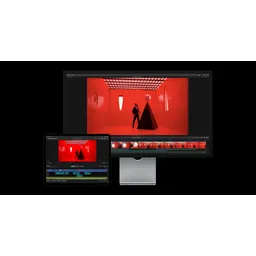
Professional video editing redefined through Apple Silicon optimization and AI-driven workflows.

AI-powered photo culling and editing software designed for high-volume photography workflows.

A unique RAW photo editor simulating the chemical development of silver halide film.