
Genius by Cosine
The first AI software engineer that understands your entire codebase like a human teammate.

The industry-standard AI pair programmer.

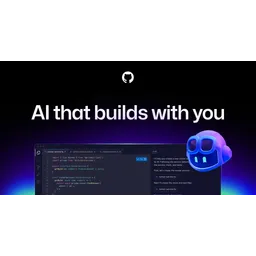
GitHub Copilot remains the most widely adopted AI coding assistant on the planet. By living directly inside your IDE, it perfectly predicts boilerplate code and syntax. While newer tools like Cursor offer more holistic codebase understanding, Copilot's seamless integration and enterprise trust make it indispensable.
GitHub Copilot remains the most widely adopted AI coding assistant on the planet.
Explore all tools that specialize in autocomplete code. This domain focus ensures GitHub Copilot delivers optimized results for this specific requirement.
Explore all tools that specialize in generate unit tests. This domain focus ensures GitHub Copilot delivers optimized results for this specific requirement.
Explore all tools that specialize in detect code vulnerabilities. This domain focus ensures GitHub Copilot delivers optimized results for this specific requirement.
Explore all tools that specialize in refactor code. This domain focus ensures GitHub Copilot delivers optimized results for this specific requirement.
Explore all tools that specialize in generate code documentation. This domain focus ensures GitHub Copilot delivers optimized results for this specific requirement.
Explore all tools that specialize in debug code. This domain focus ensures GitHub Copilot delivers optimized results for this specific requirement.
Allows developers to switch the underlying LLM (Claude 3.5 Sonnet, GPT-4o, Gemini 1.5 Pro) within the chat interface.
An ecosystem enabling Copilot to execute actions in 3rd party tools like Azure, Docker, and Sentry via Natural Language.
Utilizes local indexing to inject relevant code snippets from other files into the prompt context window.
Real-time scanning of suggestions against known CVE patterns to prevent the injection of insecure code.
Enterprise feature that allows indexing of internal documentation (Markdown/Wiki) to answer company-specific technical questions.
A terminal wrapper that translates natural language into complex shell commands and explains flags/pipes.
Allows organizations to create a private version of the model fine-tuned on their proprietary codebases.
Install a supported IDE (VS Code, Visual Studio, JetBrains, or Neovim).
Install the GitHub Copilot extension from the IDE marketplace.
Authenticate with a GitHub account via the IDE prompt.
Purchase or start a trial for a Copilot plan (Individual, Business, or Enterprise).
Configure telemetry settings and data sharing preferences in GitHub settings.
Open a local repository to allow Copilot to begin indexing project context.
Access 'Copilot Chat' via the sidebar for conversational coding assistance.
Set up 'Copilot Extensions' to connect third-party dev tools (e.g., Jira, Datadog).
Enable multi-model switching in settings to choose between GPT-4o, Claude, or Gemini.
Run the 'Copilot CLI' installer for terminal-based command assistance.
All Set
Ready to go
Verified feedback from other users.
"Highly praised for its deep integration into the IDE and contextual awareness, though developers occasionally note issues with boilerplate-heavy suggestions."
Post questions, share tips, and help other users.

The first AI software engineer that understands your entire codebase like a human teammate.

Ultra-fast, low-memory AI productivity and refactoring engine for Visual Studio.

The AI-driven code assistant for streamlined development and instant technical documentation.

Translate natural language into high-performance code with the engine powering GitHub Copilot.

The first AI code assistant for enterprise-grade development with total privacy control.

AI-powered code review platform for accelerating development and ensuring code quality.