LMMS
The premier open-source digital audio workstation for cross-platform music production and AI-plugin hosting.
Updated 10d ago
PricingFree
Free
MIDI Sequencing
Audio Mixing
Synthesizer Sound Design
Record, produce, mix, master, and perform all from a single application.

PreSonus Studio One is a comprehensive digital audio workstation (DAW) designed for music creation, production, mixing, mastering, and performance. Its architecture focuses on a single-window workflow, drag-and-drop functionality, and powerful audio engine. Key features include unlimited audio and instrument tracks, advanced automation, a suite of integrated virtual instruments and effects, and seamless integration with PreSonus hardware. Studio One's value proposition lies in its ability to streamline the entire music production process, from initial recording to final master, with a user-friendly interface and professional-grade tools. Use cases range from home studios to professional recording facilities, catering to musicians, producers, and engineers of all skill levels. It supports VST and AU plugins for expanded functionality.
PreSonus Studio One is a comprehensive digital audio workstation (DAW) designed for music creation, production, mixing, mastering, and performance.
Explore all tools that specialize in audio recording. This domain focus ensures PreSonus Studio One delivers optimized results for this specific requirement.
Explore all tools that specialize in midi sequencing. This domain focus ensures PreSonus Studio One delivers optimized results for this specific requirement.
Explore all tools that specialize in mixing. This domain focus ensures PreSonus Studio One delivers optimized results for this specific requirement.
Explore all tools that specialize in mastering. This domain focus ensures PreSonus Studio One delivers optimized results for this specific requirement.
Explore all tools that specialize in live performance. This domain focus ensures PreSonus Studio One delivers optimized results for this specific requirement.
Allows non-destructive rearrangement of song sections by dragging and dropping blocks of audio or MIDI data, facilitating rapid prototyping and experimentation with song structure.
Analyzes audio or MIDI data to determine chord progressions, which can then be used to drive harmonic editing functions, transposing chords and generating chord voicings.
A powerful drum sampler with real-time time stretching, looping, and slicing capabilities, as well as deep integration with Studio One’s pattern editor for creating complex drum patterns.
Allows seamless integration of external hardware effects into the Studio One workflow, treating hardware as if it were a plugin, with automatic latency compensation and preset management.
A dedicated environment for live performance, allowing users to create setlists, trigger backing tracks, and control virtual instruments and effects in real-time.
Download and install Studio One from the PreSonus website.
Activate your license using the PreSonus account.
Configure audio interface settings in the Studio One preferences.
Set up MIDI devices for MIDI input and control.
Explore the browser for available instruments, effects, and loops.
Create a new song and add audio or MIDI tracks.
Record audio or program MIDI sequences.
Mix the song using the console view and insert effects.
Master the song using the Project page and mastering tools.
Export the final track in various formats.
All Set
Ready to go
Verified feedback from other users.
"Studio One is highly praised for its intuitive workflow, powerful features, and excellent sound quality, making it a favorite among musicians and producers."
Post questions, share tips, and help other users.
The premier open-source digital audio workstation for cross-platform music production and AI-plugin hosting.
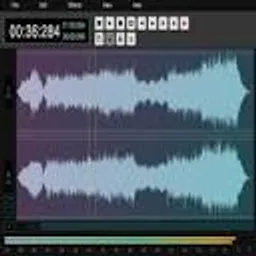
A full-featured, open-source, web-based waveform audio editor for rapid post-production.

A high-performance virtual studio environment for browser-based professional music production.

The ultimate AI-powered DAW for professional songwriting, beat making, editing, and mixing on Mac and iPad.