
Final Draft
The industry standard for professional screenwriting and story architecture.
Updated 13d ago
PricingPaid
$99.99-$249.99
Screenplay formatting
Production breakdown
Real-time collaboration
The most intuitive voxel-based 3D modeling engine for rapid prototyping and STEM education.

3D Slash is a specialized 3D modeling application inspired by the logic of stone-cutting and voxel-based games like Minecraft. Built on a unique technical architecture, it utilizes a proprietary engine that processes high-resolution voxels (up to 1/10th of a millimeter), allowing users to 'hammer' away blocks or build them up with high precision. By 2026, it has solidified its position as the premier bridge between amateur creative design and industrial-grade additive manufacturing. Unlike traditional NURBS-based CAD software, 3D Slash eliminates the steep learning curve of mesh manipulation, making it highly effective for rapid prototyping, personalized marketing assets, and educational environments. The platform offers a seamless transition from browser-based design to physical output through tight integration with professional 3D printing services and local slicer software. Its technical scalability is evidenced by its WebGL implementation, which allows complex designs to be manipulated on low-power hardware, including Raspberry Pi and legacy school tablets, ensuring accessibility across all socio-economic tiers in the education sector.
3D Slash is a specialized 3D modeling application inspired by the logic of stone-cutting and voxel-based games like Minecraft.
Explore all tools that specialize in logo-to-3d extrusion. This domain focus ensures 3D Slash delivers optimized results for this specific requirement.
Algorithms that convert 2D pixel data into 3D voxel heights based on transparency or color contrast.
Native WebXR support for inspecting models in 1:1 scale using VR headsets.
Support for voxel sizes down to 0.1mm, allowing for intricate surface textures.
Hybrid local/cloud storage system ensuring data persistence across Windows, macOS, and Linux.
Allows for complex Boolean operations and hierarchical grouping of voxel sets.
One-click API hooks into Sculpteo and Materialise i.materialise.
Event-based undo/redo logging that allows for full reconstruction of a design from step one.
Create a cloud account at 3dslash.net to sync designs across devices.
Initialize a new project by defining the 'Stone' size in millimeters or inches.
Select the Voxel resolution (0.1mm to 10cm) based on intended printing detail.
Use the 'Hammer' tool to subtract material from the block based on coordinated grid clicks.
Utilize the 'Trowel' tool for additive modeling to fill in gaps or extend surfaces.
Import a 2D logo (PNG) to use the auto-extrusion feature for instant 3D sign creation.
Apply the 'Mill' tool for precise circular or curved excavations within the voxel grid.
Review the model in the 3D Slash WebGL viewer for manifold integrity check.
Sync the file to Google Drive or Dropbox for backup.
Export to STL and send directly to an integrated 3D printing service or local slicer.
All Set
Ready to go
Verified feedback from other users.
"Users praise the extremely intuitive interface and the fun 'Minecraft-like' experience, though professional users note limitations for organic, non-blocky shapes."
Post questions, share tips, and help other users.
The industry standard for professional screenwriting and story architecture.
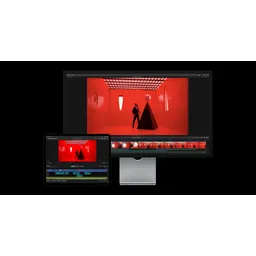
Professional video editing redefined through Apple Silicon optimization and AI-driven workflows.

AI-powered photo culling and editing software designed for high-volume photography workflows.

A unique RAW photo editor simulating the chemical development of silver halide film.

Edit Faster, Smarter and Easier with AI-powered video editing.

The collaborative interface design tool that connects design, code, and teams in a unified AI-powered workspace.